The music of your plants, using your phone

New No device or electrodes

Your plants can express themselves.
You already have what you need to listen to them.

Plantsound recognises tiny variations in the foliage, the plant type and its environment, and turns these variations into music in real time with bioacoustic AI. No extra device. No electrodes. Just your phone.

5 minutes free · Simplicity · No subscription

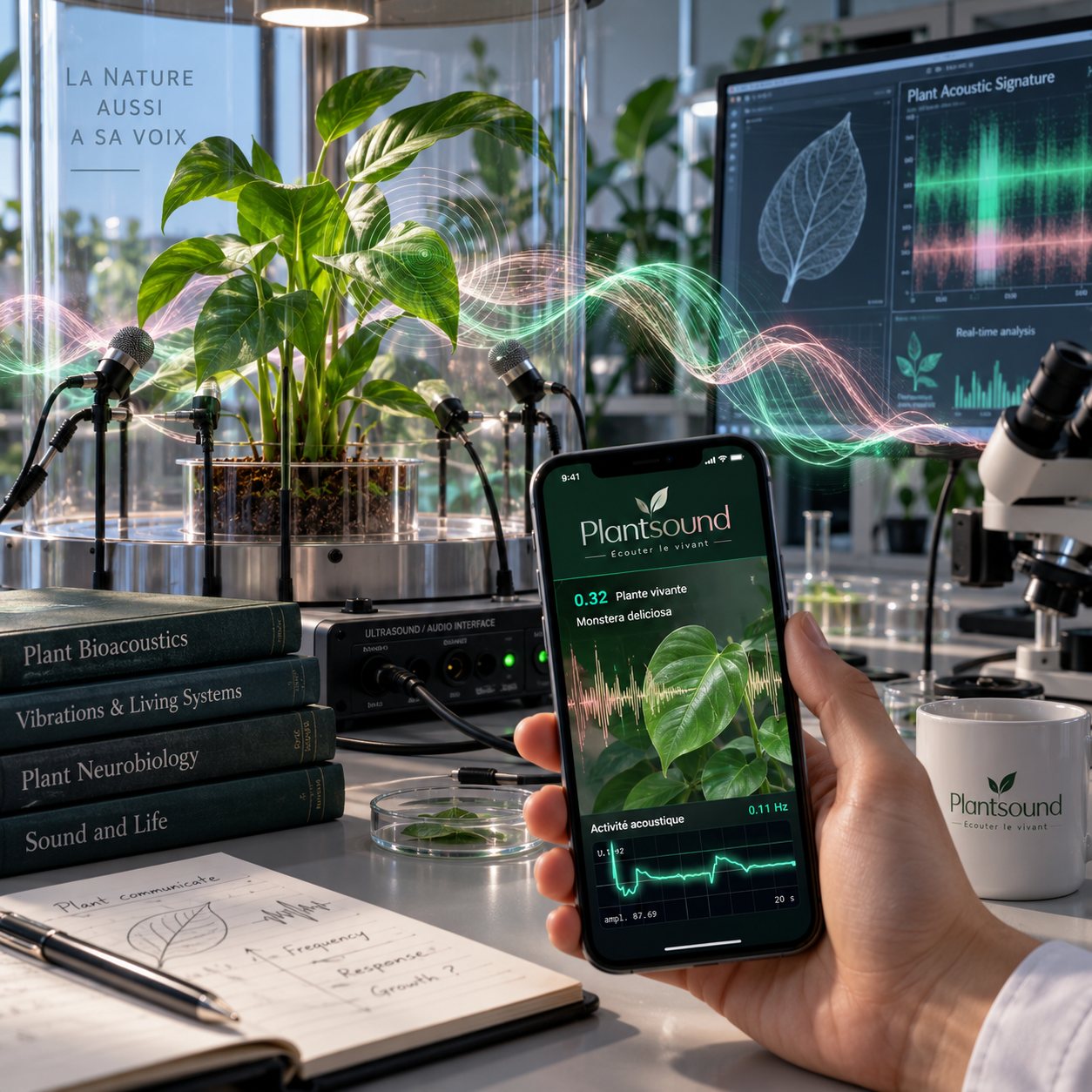
The phone scans the plant and translates its functional state into music

img/plantsound1b.jpg

On video

Two approaches.
Two different functions.

An electrocardiogram gives precise information about the electrical activity of the heart. But on its own, it is not enough to understand a person's behaviour, functioning or needs: observation brings other information. It all depends on what you want to observe or understand.

It is the same for plants: the electrode device and the Plantsound device answer two different approaches. The first measures an electrical variation (impedance) between contact points. Plantsound, by contrast, combines optical observation of the tiny variations of the foliage, environmental data and analysis by artificial intelligence. We chose this research angle because it better matches our goal: observing the plant in its context, recognising its profile and translating the detected variations into music.

Listen to my plant, 5 minutes free
Three simple steps

Is your plant in front of you?
Try your first experiment.

1

Frame your plant

Open Plantsound, allow camera access and place your phone in front of well-lit foliage. Let the initial setup finish.

2

Create a small change

Bring your hand closer, then blow gently on a leaf. Watch what moves within the frame.

3

Watch. Listen.

Follow the waveform and listen to what changes. You are connecting an observed variation with its musical interpretation.

This time, you are listening to your own plant. Try another plant, discover its suggested profile and compare the sounds. Discovery starts at home.

5 minutes free to try it with your phone and your plant. No payment card required.

Listen to my plant for free
The principle, made simple

The camera observes.
AI recognises. Plantsound composes.

Observe the variations

The camera tracks tiny variations in the foliage. The analysed signal shapes how the notes evolve during your session.

Recognise the plant

AI suggests a plant type. The associated profile guides the scale, timbre and articulation: a cactus and a monstera have distinct profiles.

Translate into music

Plantsound combines the signal and profile to compose in real time. When weather data is available, atmospheric pressure and UV levels add nuance to the sound texture.

What actually happens

The signal. The plant. Its environment.
Three dimensions for composition.

A waveform describes a variation. On its own, it does not describe the plant producing it. Plantsound adds visual recognition and context to sonification: you hear a signal interpreted through a profile associated with the type of plant being observed.

1. Foliage reflects changes

Water pressure within cells and exchanges with the environment contribute to the position and movement of foliage. Plantsound tracks changes in the image over time and extracts the signal that drives the music. Micro-movements provide a starting point for observing the plant.

2. Recognising the plant to give it a character

The shape and arrangement of the foliage give the AI visual cues to recognise a plant type. This recognition helps determine the scale, timbre and articulation. A monstera and a cactus have distinct musical profiles.

3. Colour helps focus the analysis

The processing calculates a greenness index from the red, green and blue channels. This colour-based reference helps weight areas of foliage in the analysis. Here, colour analysis helps target the visual signal more effectively.

4. Pressure, UV, temperature and humidity

Your plant is part of an environment. Plantsound displays weather temperature and humidity to put the session in context. When this data is available, atmospheric pressure and UV levels directly modulate the sound texture: reverb, filtering and ambience.

5. Signal processing

Contrast weighting, removal of changes shared across the image, filtering and frequency-band comparison: these processes aim to reduce interference and extract a usable signal.

6. Translating data into music

Three complementary roles: the signal guides the notes, the recognised profile shapes their character, and the weather modulates the texture. The waveform and settings make this process visible as you listen.

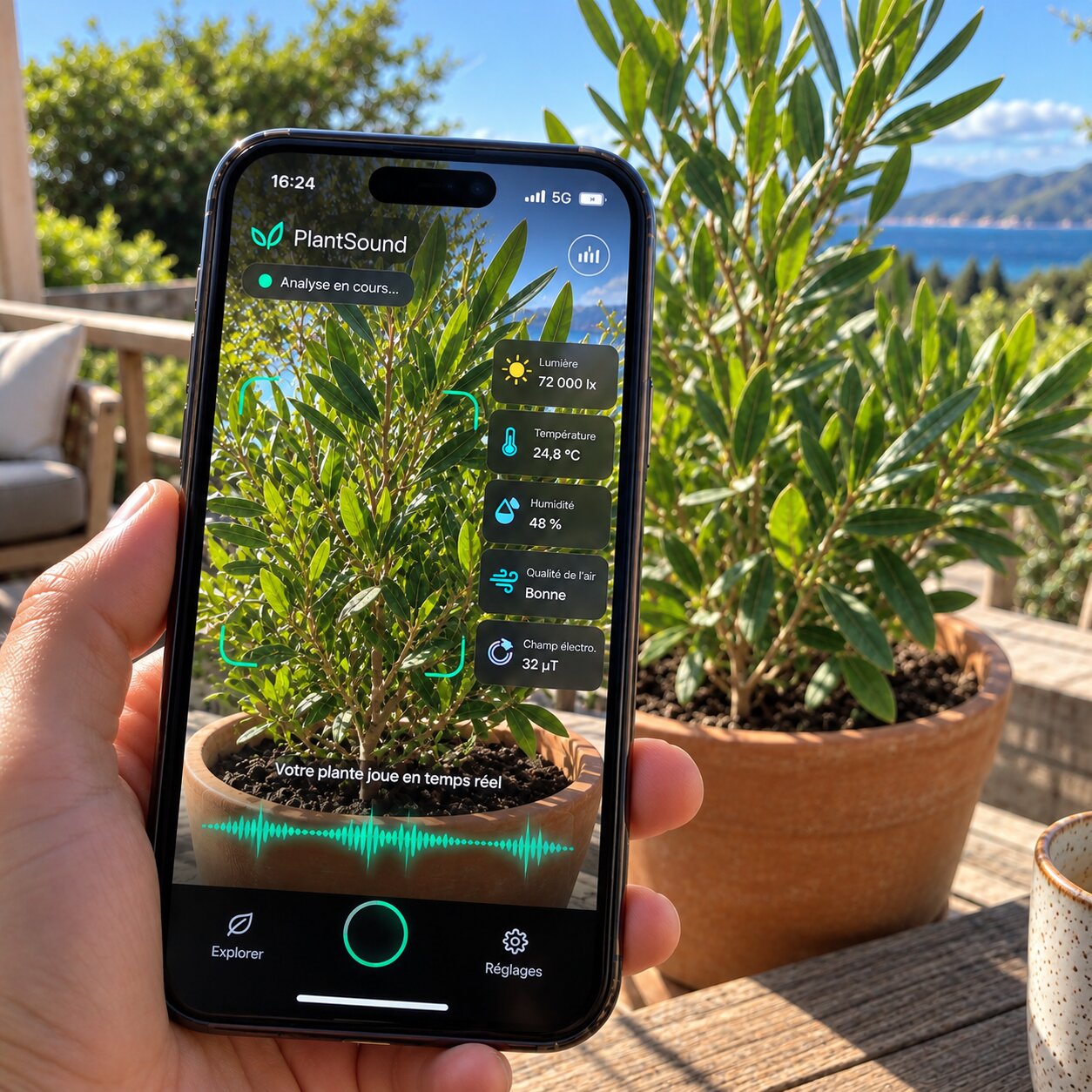
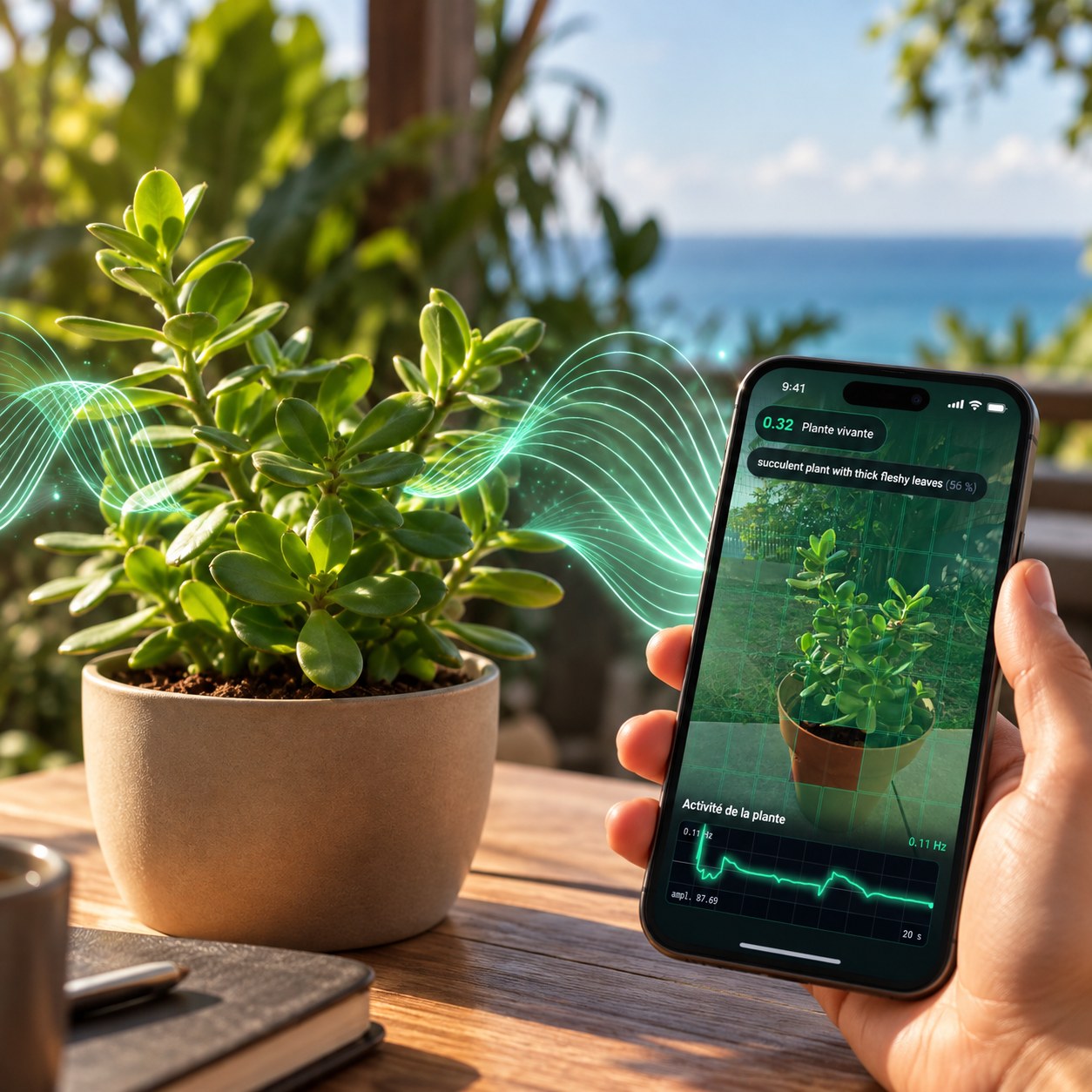
The Plantsound screen: assessment, recognised family and live oscilloscope

img/hero.jpg

Plantsound in use: the phone frames the foliage while the waveform scrolls

img/application.jpg

What makes Plantsound different

A plant is more than
an electrical waveform.


Electrodes and cameras offer two different approaches. Electrodes track electrical changes between contact points. Plantsound observes foliage over time and recognises the type of plant. Its advantage for composition is to combine variations in the signal with a musical character suited to the recognised profile.

Movement becomes part of observing the plant. Leaf position depends in part on turgor, linked to water within cells, and exchanges with the environment. Visual analysis provides observable cues. AI provides recognition; the profiles structure their musical interpretation.

The difference becomes something you can hear. Frame a plant, discover its profile and listen. Move to another type of plant and compare. The waveform accompanies the music, the settings remain accessible and you are free to create.

Distinct musical profiles

Your cactus and your monstera
each have their own musical profile.

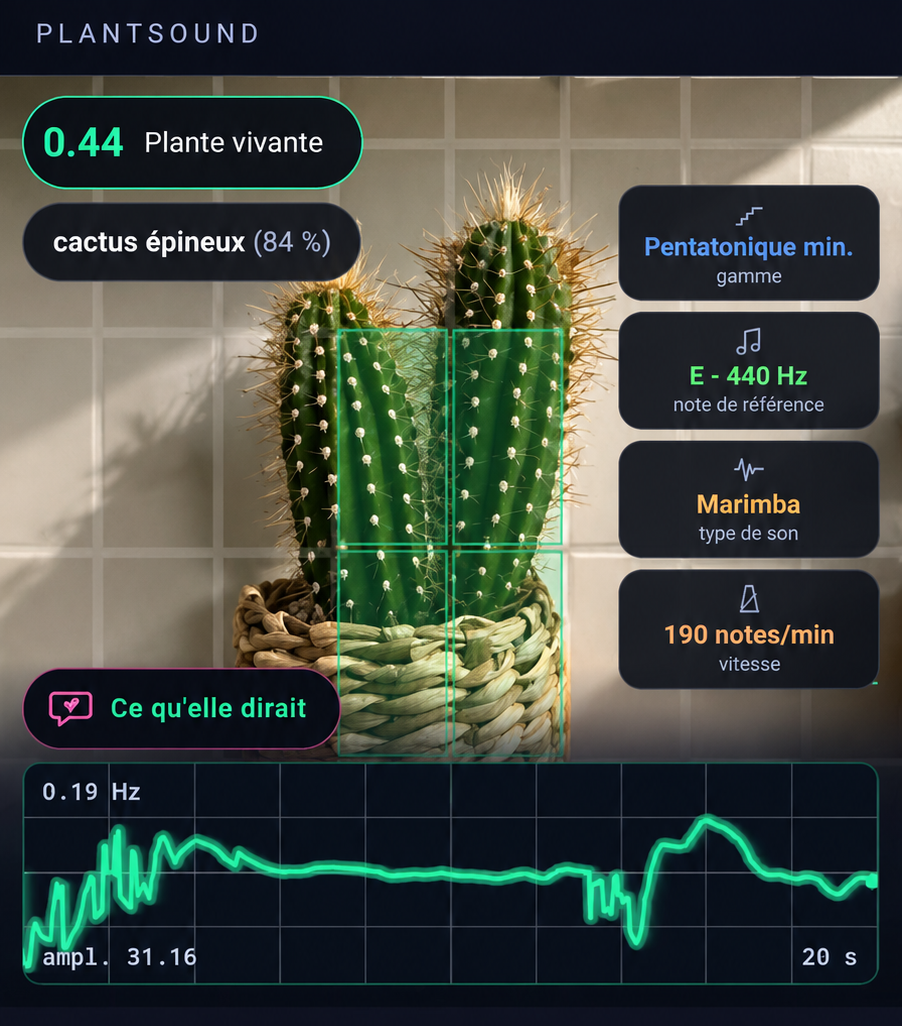
Plant recognition plays a part in the composition. Plantsound provides distinct profiles for the type identified. Here is a concrete example of that relationship.

Plantsound on a cactus: 84% recognition, minor pentatonic, marimba, 190 notes per minute

img/cactus.png

For a cactus: minor pentatonic and marimba. The profile offers short, detached notes. For a monstera, it pairs the Dorian mode with a glass-like timbre. The musical choices change with the recognised category.

The sound character takes the recognised plant into account. The musical mappings draw inspiration from its shape and growth habit. Variations in the signal analysed during your session add to this profile identity.

Compare them during your trial. Show two types of plants, check the displayed profile and listen. In automatic mode, let Plantsound suggest the settings before customising them.

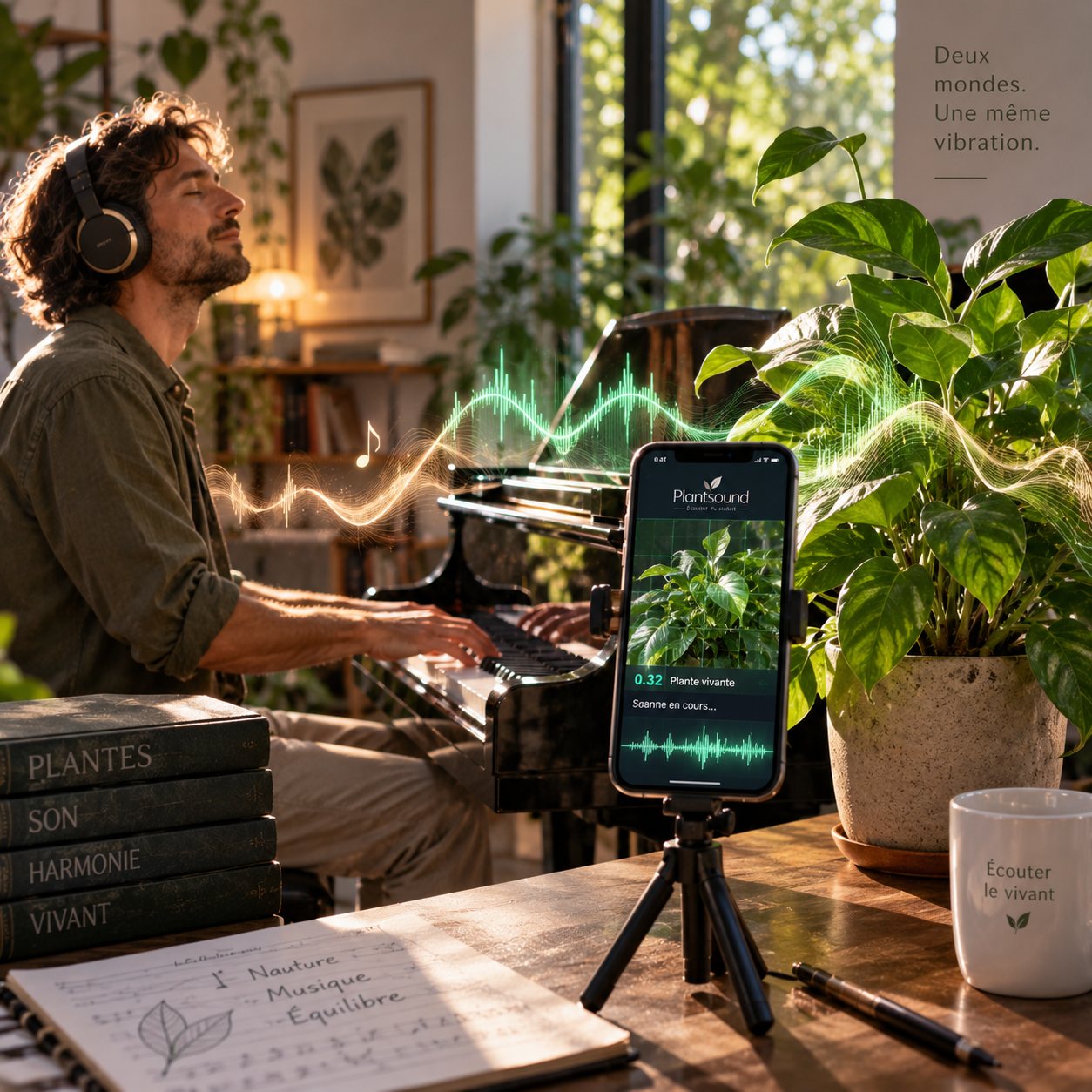
A pianist plays a duet with a plant beside them

A pianist improvises a duet with a plant beside them.

Reviews from customers

★★★★★
4.8 out of 5
Based on 16 reviews
★★★★★(13)
★★★★☆(3)
★★★☆☆(0)
★★☆☆☆(0)
★☆☆☆☆(0)
★★★★★29/07/2026
Nicolas F.Verified

The free 5 minutes are an excellent idea because I was frankly sceptical. I put a plant in front of the camera and immediately tested it by blowing on a leaf. Seeing the measurement respond and then hearing the music evolve was far more convincing to me than all the explanations on the website. I bought it straight after the trial.

★★★★★02/06/2026
Xavier L.Verified

I am quite rational, and the term plant music made me a little wary. What reassured me is that PlantSound does not try to tell me my plant is sad or happy. It measures observable variations and turns them into music. Once you understand that, you stop wondering whether to believe in it: you observe, interact and listen. And that is much more interesting.

★★★★★05/08/2026
Emma D.Verified

I tried it with my daughter and it turned into a little science experiment in the kitchen. We tested several plants, blew on the leaves, changed the light and watched what happened. She wanted to understand why it changed. It is quite rare for a screen to make you want to observe the living things around you more closely.

★★★★★11/08/2026
Joel F.Verified

I am a musician and thought this would mainly be a poetic gadget. In fact, MIDI export is what convinced me. I can take what a session generates and use it as musical material. I have already built the beginning of a track from a sequence from my ficus. For me, it has become both a creative tool and an experience involving plants.

★★★★★28/06/2026
Fanny I.Verified

I had looked at plant music systems with electrodes, but I did not want to buy yet another device. Here, I used the phone I already had. No sensor on the leaves, no box to connect. Within a few minutes, I had my first session. That simplicity is why I actually use it instead of leaving a device in a drawer.

★★★★★28/08/2026
Claire M.Verified

I admit I expected to hear pleasant music generated more or less at random. I changed my mind when I gently blew on my monstera and saw the data change as the music evolved. I did it several more times just to check. Since then, I sometimes leave it playing while I read. It really feels like discovering something about the plant that I had never noticed before.

★★★★★22/08/2026
Thomas R.Verified

What convinced me was precisely the absence of electrodes. You put the phone down, the camera observes the plant and you are off. But the most surprising thing is creating a small interaction, bringing your hand near a leaf or talking to it, and then hearing the music change. That is when you realise it is not simply a playlist with a plant as decoration.

★★★★☆17/08/2026
Sophie L.Verified

At first I thought that holding my phone would inevitably distort the analysis through movement. But no, you can do either: hold it or put it down. I particularly enjoy observing the small variations and trying to understand what causes them. Four stars because a short tutorial on first use would help, but the concept is really fascinating.

★★★★★23/07/2026
Isabelle C.Verified

I thought I would use it two or three times out of curiosity. Instead, it has become an atmosphere I put on during some of my breaks. The difference from a relaxing playlist is that I never know exactly what will happen. The music depends on what happens in front of the phone, and that unpredictability completely changes the listening experience.

★★★★★18/07/2026
Antoine G.Verified

I really like being able to record a session because it never repeats in exactly the same way. I have kept several with the same plant at different times of day, and the results are really different. Some sequences have become soundscapes I listen to again on headphones.

★★★★☆12/07/2026
Nelly F.Verified

There are far more possibilities than I expected: scales, frequencies, instruments, visualisation… That is actually why I gave it four stars: I would have liked more guidance at the beginning. But once you start changing the parameters and observing the plant's response live, you realise it is not just an app that plays zen sounds.

★★★★★06/07/2026
Marc T.Verified

My ficus has been beside my desk for years and, honestly, I had almost stopped looking at it. Since PlantSound, I sometimes turn it into music while I draw. It sounds simple, but it has changed my attention: I notice its new leaves, its position relative to the light and its movements much more. That is probably what I like most about this experience.

★★★★★23/06/2026
David A.Verified

What surprised me is that it is not just one kind of plant music. With the different scales and frequencies, the same activity can create completely different musical worlds. I can have something very meditative, then switch to a much more musical atmosphere. You keep the living, unpredictable aspect without being confined to a single sound.

★★★★★18/06/2026
Julia S.Verified

I gave it to my partner because he loves plants as much as music. I thought it would be a fun gift. An hour later, he was still testing different plants and settings. The next day, he started again with the plants on the balcony. It has become much more than a novelty gift.

★★★★★12/06/2026
Paul S.Verified

What I appreciate is how little friction there is. No app to install, no electrodes, no extra device. I put my phone down, frame the foliage and wait for the analysis to settle. For technology doing so much behind the scenes, the user experience remains surprisingly simple.

★★★★☆07/06/2026
Lucie H.Verified

I use it with the plants on my balcony and love comparing the results between two species. Some controls are a little cramped on my small phone, so I sometimes prefer the computer. But being able to move from one plant to another and hear different sessions really makes you want to experiment.
The barrier we removed

Until now, listening to a plant meant buying a device.

Devices on the market measure electrical changes between two clips attached to a leaf. The principle is debatable, but it requires buying the equipment, carrying it, charging it, connecting it and starting again for each plant. We approached the problem with a fresh perspective.

Devices with electrodes or clips
  • ✕A device to buy, often three to five times the price of Plantsound (for at least equivalent features)
  • ✕Electrodes to attach to a leaf, and to reattach for each plant
  • ✕A battery to charge, several cables, a carrying case
  • ✕The sound character depends on the chosen settings and on moisture on the plant or soil
  • ✕Conductivity measurement identifies neither the type of plant nor its environment (UV, humidity...)
Plantsound
  • ✓No extra equipment. The phone you already have. Also works offline.
  • ✓No contact. No clipping, no harm to the plant.
  • ✓The plant is recognised along with its environment. Each plant has its own musical character.
  • ✓An innovation: music emerges from micro-behaviours and the environment.
  • ✓€94 once, for all your plants, across all your devices.
Point by point

Why choose Plantsound?

Electrode-based devices paved the way long before us. Here is what changes when measurement uses images rather than contact.

  • Equipment
    Plantsound: ✓Your smartphoneThe one already in your pocket
    Device: Device + electrodes
  • Musical scales
    Plantsound: 21
    Device: 19
  • Reference frequencies
    Plantsound: ✓4440 Hz · 432 Hz · 429.62 Hz (H2O) · 426.70 Hz · 417.60 Hz (H3O2-/Schumann)
    Device: 3440 Hz · 432 Hz · 426.70 Hz
  • Speeds
    Plantsound: ✓7 modes
    Device: 4 modes
  • Audio quality
    Plantsound: ✓PCMReal instrument samples
    Device: FMSynthesis
  • Profiles and timbres
    Plantsound: ✓13 profiles · 7 timbresA musical character for each plant family
    Device: 12
  • Electrodes and connections
    Plantsound: ✓NoneNo clips, no damage
    Device: ✕Required
  • Updates
    Plantsound: ✓Included, automatic
    Device: Depends on the manufacturer
  • Artificial intelligence
    Plantsound: ✓On-device model43 MB on your phone, works offline
    Device: ✕None
  • Plant recognition
    Plantsound: ✓YesThirteen botanical families
    Device: ✕No
  • Micro-movements
    Plantsound: ✓YesThirty images analysed per second
    Device: ✕No
  • Environment
    Plantsound: ✓YesWeather, atmospheric pressure, UV index
    Device: ✕No
  • Oscilloscope
    Plantsound: ✓Built inLive, overlaid on the image
    Device: No, or via a computer
  • Recording
    Plantsound: ✓Audio + MIDIThe music and a score you can open in music software
    Device: AudioOn an SD card
  • Audio output
    Plantsound: ✓Smartphone, Bluetooth, speaker
    Device: Built-in speaker
  • MIDI output
    Plantsound: ✓Bluetooth MIDI/USB
    Device: MIDI (some models)
  • Water resistance
    Plantsound: As rated for your phone
    Device: Not provided

Comparison based on published specifications of devices on the market. The figures in the Plantsound column refer to the released application: you can check them in its settings.

It all starts with your phone

With Plantsound,
it is all right there on your phone.

One purchase, no subscription

Bring your plants
into your musical world.

Full Plantsound access, on your smartphone or tablet.

€94

€94 in a single payment. No subscription.

  • ✓All your plants, with full access and no session time limit
  • ✓Your phone is all you need: no extra device or electrodes
  • ✓Musical profiles to explore the differences between your plants
  • ✓Audio recording to keep your sessions and MIDI export to create with them
  • ✓“She Speaks” mode to explore your plant further
  • ✓Updates included, with no subscription
Buy access: €94 Try 5 minutes, free

Secure payment with SumUp. Once confirmed, your access is activated and your login details are sent by email.

A question before buying? Let's talk in the chat.

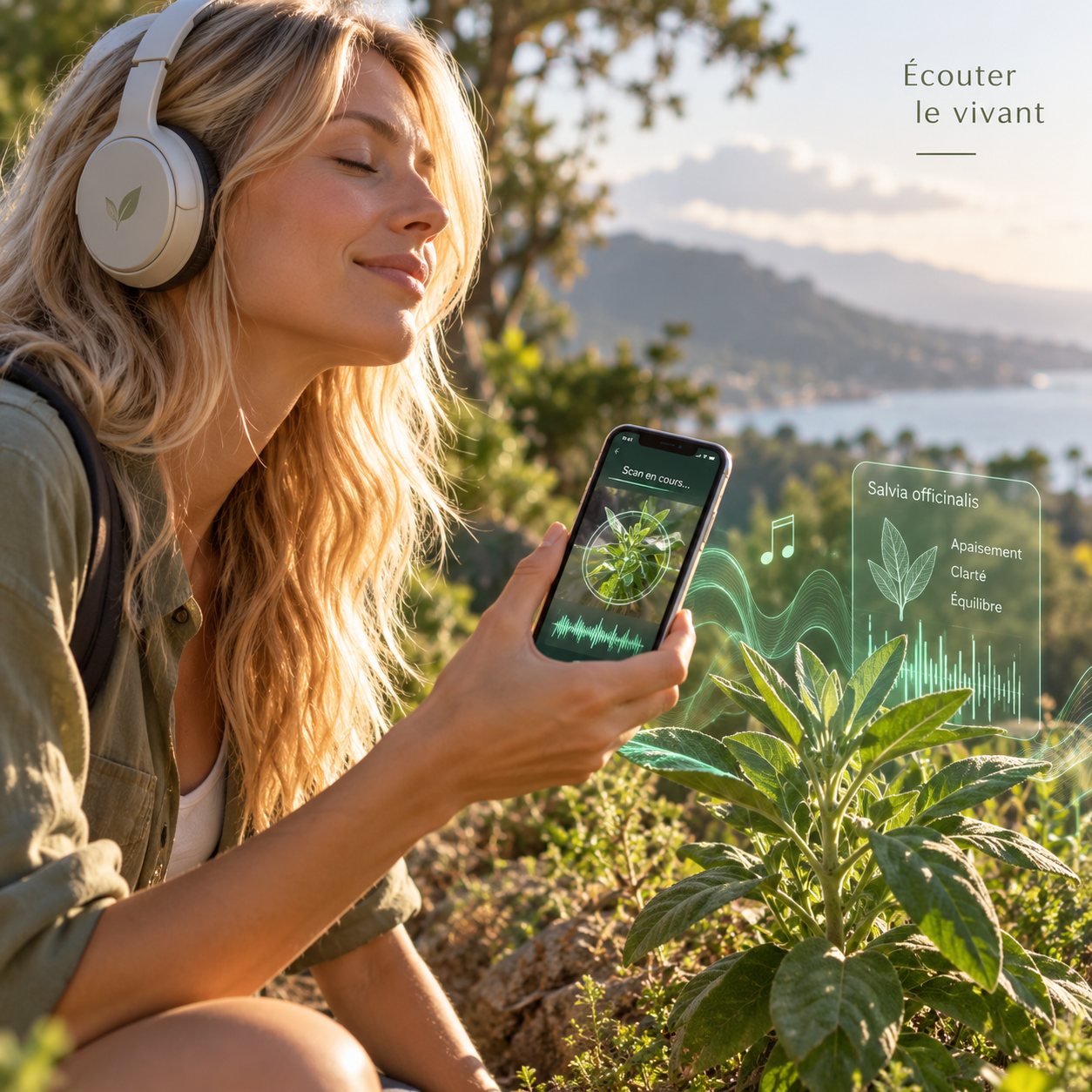
A walker listens to wild sage through headphones using her phone
Ways to use it

Technology you can hear.
Possibilities to explore.

One tool brings together plant observation, image analysis and musical creation. You decide what to do with it.

Waiting rooms, wellness centres, relaxation...

Music that never repeats itself, played live from the plant that is already in the room. Yoga centre, spa, clinic, meditation space... No licence to pay, no thirty-minute loop that the staff end up knowing by heart. And a ready-made conversation with the patient who asks where it comes from. What is more, the plant picks up its environment and also expresses itself differently depending on the people around it.

For musicians: a duet

The plant sets the scale and the tonic; you play over it. It does not follow the tempo, and that is the whole point: its phrasing comes from no loop and no arpeggiator, and it will never do the same thing twice. An improvisation partner that does not know your habits and plays, in real time, what it senses of its environment.

At home, in the garden...

Listen to the same plant a few days apart: it is not the same music. Movement follows the water in the cells, so what changes in the plant can be heard. You will no longer see your plants as green furniture, but as a living, conscious being.

Museums, botanical gardens...

An exhibition, a greenhouse, a display case: the plant plays without anything being attached to it. No curator will allow an electrode on a collection specimen. A phone on a stand, and nobody objects. And the installation moves to another room in thirty seconds.

Agroecology, beekeeping

Plants are sensitive to the vibrations of their environment, especially those produced by certain insects. By perceiving the vibrations generated by its own music, the plant can gradually adjust its sound response to the signals of its environment, through its natural mechanisms of adaptation and chemical defence.

Conferences, teaching

The demonstration takes three seconds, in front of witnesses: frame the plant and the music starts; point at a wall or an object and it stops. The refusal speaks louder than the music, and that is where the discussion begins about what a plant does, perceives and expresses through its biological intelligence.

Try 5 minutes for free
New · experimental

And Plantsound goes further…
Discover “She Speaks”.

A complementary analysis of appearance and context. “She Speaks” examines a photo and available information to suggest things to observe: colour, leaf posture and exposure. This experimental feature is separate from sonification.

A phrase generated by Plantsound: “I would like less direct sunlight on my fronds”, followed by the observed sign and suggested action

img/dirait-carte.png

The principle

Clues for closer observation

Pale or drooping foliage can have several explanations. A photo can provide clues, but it is not always enough to understand the situation.

Plantsound relates the image to available environmental information. The result offers observations for you to compare with your plant.

Observe before acting. Light, leaves and the condition of the soil are all worth examining. The app's suggestions are pointers, not a definitive diagnosis.

Each suggestion is explained

The phrases come with visual clues to look for. You can compare the suggestion with what is actually in front of you.

Limits that help keep perspective

A blurry or incomplete photo limits the analysis. Reframe if necessary and assess the suggestions critically.

Another way to look

This feature encourages attention to detail: leaf colour, plant posture, light and context. An exploration that complements the music.

What we do not claim

You have the final say.

The first-person voice is a writing choice. The plant is not actually speaking, and its thoughts or emotions are not being read.

The feature is experimental and can make mistakes. It supports your observations; it does not replace professional advice for a struggling plant.

This analysis requires an internet connection and a photo upload. Image analysis for the musical experience takes place on your device.

The Plantsound window: three phrases from the plant, each with an observed sign and suggested action

img/dirait-fenetre.png

Listen to living things

Frequently asked questions

Everything you need to know
before you begin.

How does Plantsound create music?

The software analyses variations in the image of the foliage. This signal guides the notes; the plant type recognised by AI suggests a musical profile; atmospheric pressure and UV levels modulate the texture when this data is available. You can see the profile and waveform on screen.

How does it differ from electrode-based devices?

Devices such as PlantWave measure variations in conductivity between two contact points. Plantsound uses optical analysis enriched by recognition of the plant type and weather context. Both approaches turn data into music, using different measured quantities.

Why do different plants produce different sounds?

Recognition plays a part in selecting the musical profile. The cactus profile includes a minor pentatonic scale and marimba; the monstera profile uses the Dorian mode and a glass-like timbre. These musical mappings are designed to give plant types distinct characters. The observed signal then shapes the session as it unfolds.

What roles do hydration, temperature and colour play?

Water status contributes to the position of the foliage observed by the camera. Colour indices help target the areas analysed. The displayed temperature and humidity come from weather data. This information gives context to observation; it is not a direct measurement of water within the tissues or leaf temperature.

How can I compare my own plants?

Start with a steady frame and well-lit foliage. Check the recognised type and listen in automatic mode. Then show another type of plant and compare the profiles. You can also watch the waveform as the foliage moves slightly.

How can I try it before buying?

Click “Try 5 minutes for free”. Open the app, let the initial setup finish, then allow camera access. No payment card is required for the trial, which lets you test your phone and your plants.

Is this a subscription?

No. Full access costs €94 in a single payment. There is no automatic renewal.

What happens after payment?

SumUp processes the payment. Once confirmed, your access is activated and your login details are sent by email.

Do I need to install an app?

Plantsound runs in the browser of a compatible device with a camera. You can add it to your home screen. An internet connection is required for the initial setup and some features.

Are my images sent over the internet?

Image analysis for music takes place on your device. The optional “She Speaks” feature uploads a photo for analysis. Account, payment and advertising measurement information is described in the privacy policy.

Can I use Plantsound professionally?

Contact the team with your project to find out the terms applicable to your activity, particularly for public playback and commercial use.

Does the trial commit me to buying?

No. No payment is taken automatically. At the end of the trial, you freely choose whether to continue with full access.

Plantsound

Optical analysis. AI recognition. Live music.

You have a plant.
You have a phone.
All that is left is to listen.

Discover how recognising your plant changes the music. Open Plantsound, frame the foliage and start your first session. Five minutes free, with no payment card required. Then a one-off payment of €94 to continue the experience.

Try 5 minutes for free

Ready to keep exploring? Buy access: €94